
H
Hostel Residence 2023/24 (Year 3 or ...
R
Summer Session 2022-23
I
2023 Summer Internship Programm...
Today
CM
CUHK Mass Mails
Digest of CUHK Mass Mails for Under...
Sat 17:20
This Digest is also available at MyCUHK. Read this...
G
General - Your Department
Very Cool Internship Opportunity at V...
Sat 16:28
Dear Students, Very Good Company is looking f...
PA
Payroll and Superannuation Unit, Fina...
Reminder: Submission of Student Hel...
Sat 16:11
財務處薪津及公積金組 Payroll and Superannuation...
P
Professor Yang Tian
2022R2 Special Topics in Communi...
Sat 15:01
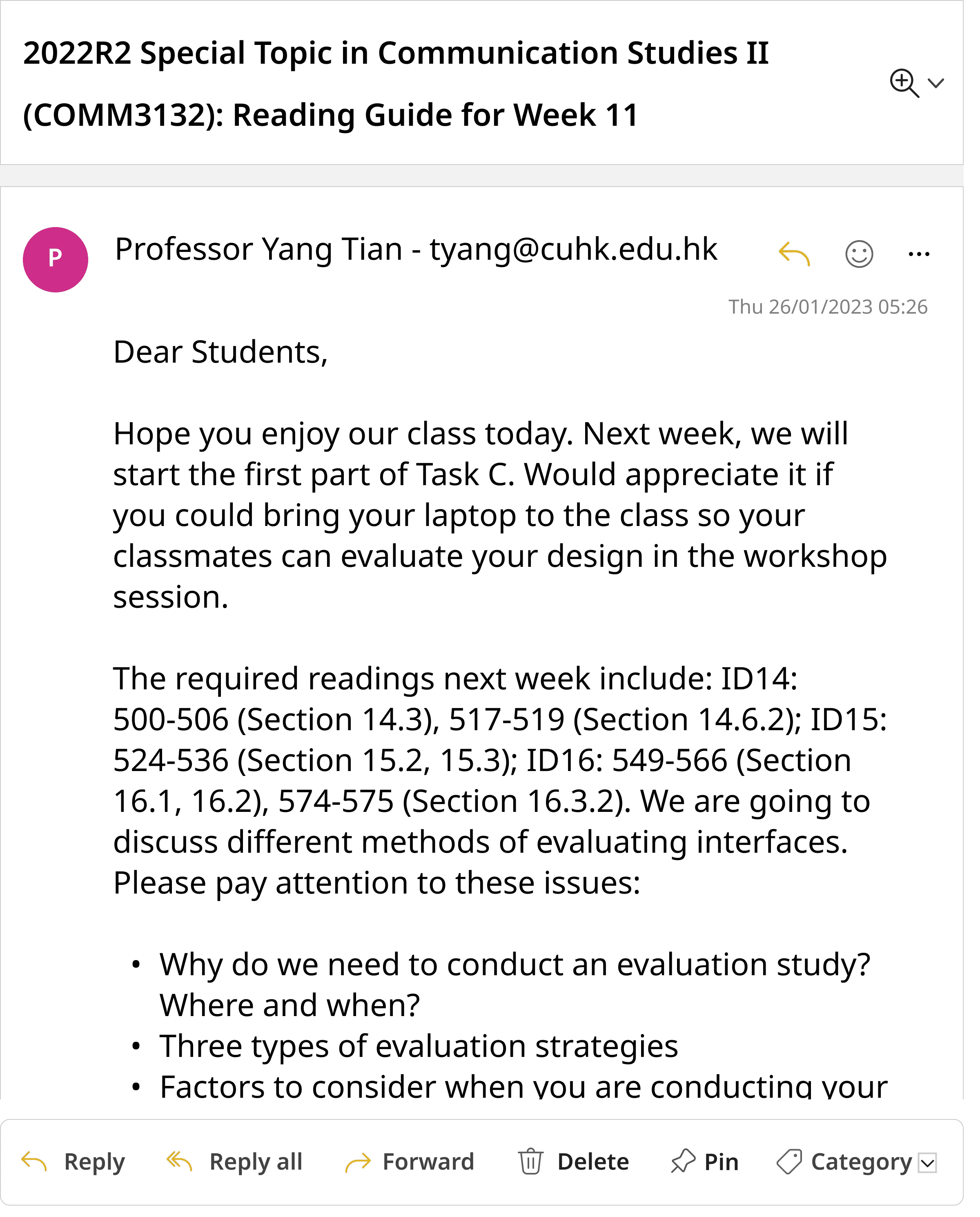
Dear Students, Hope you enjoy our class today...
新
新亞學生會 NASU
【新亞Tote bag設計比賽2023】
Sat 14:15
【新亞Tote bag設計比賽2023】 投稿日期:2月17日...
SE
Student Experience and Development...
【免費暑期證書課程】義工領袖計劃 Lea...
Sat 14:11
(Please scroll down for the English version.) 各位...
P
Professor YANG Tian - tyang@cuhk.edu...
2022R2 Special Topic in Communicatio...
Sat 13:05
Dear students, Hope you enjoy our class today...
CR
CU Recruit ( OSA )
Upcoming Recruitment Events This W...
Sat 11:34
Dear Students, Below please find the upcoming r...
CC
CUHK Career Activities (OSA)
Career Guidance Programme: How to...
Fri 11:05
Dear Students, Wonder how to prepare for the Ap...
GO
GIP ( OSA )
[GIP 2023] Intership Opportunities i...
Sat 10:14
Dear Students, Apply now to get a headstart on s...
Yesterday
D
donotreply@blackboard.com
Daily notifications
Fri 23:46
Your updates Other new content Course Outline (...
IC
I-CARE CENTRE
實務工作坊暨分享會、單車導賞團及戒毒...
Fri 22:38
(Please scroll down for the English version) 各位同...
CC
Cat Chung (NAO)
Student helper recruitment for NA W...
Fri 22:38
各位新亞同學:新亞學院正為「至善同行—重建」...
SM
Shirley Ma (NAO)
全新新亞通識科目(2022/23下學期)...
Fri 19:20
(Please scroll down for the English version) 全新...
C
Career Planning & Development Centre
No Road is Long with Passion | Join....
Fri 11:23
Dear Students, April is the recruitment season for...
CC
CUHK Career Activities (OSA)
Career Guidance Programme: How to...
Fri 11:05
Dear Students, Wonder how to prepare for the Ap...
G
General - Your Department
Very Cool Internship Opportunity at Ve...
Fri 10:10
Dear Students, Very Good Company is looking f...
Last week
新N
新亞評議會 NASU COUNCIL
【新亞學生會週年大選 NASU General El...
Fri 22:57
(Please scroll down for the English version. Englis...
NA
New Asia College (NAO)
雙週會及公開講座 Bi-weekly Assembly ...
Fri 21:42
雙週會及公開講座 有關雙週會及公開講座的最新消息...
SA
Scholarship and Bursaries (NAC)
[Latest News] CUHK Golden Jubilee C...
Fri 21:31
Dear Student We are pleased to share with you th...
G
General - Your Department
Figma Workshop
Fri 15:23
Dear students, are you struggling to make a prot...
C
Career Planning & Development Centre
No Road is Long with Passion | Join....
Fri 11:23
Dear Students, April is the recruitment season for...
CC
CUHK Career Activities (OSA)
Career Guidance Programme: How to...
Fri 11:05
Dear Students, Wonder how to prepare for the Ap...
GO
GIP ( OSA )
[GIP 2023] The Cross Cultural Interns...
Fri 10:46
Dear Students, The Cross Cultural Internship Prog...
All
Important
Announcements
Promotions
New mail
Inbox
All

Important
Announcements
Promotions
Add category
Folders
Inbox
Junk Email
Drafts
Sent Items
Deleted Items
Notes
Create new fol...
Groups
New group


Home
View
Help
Outlook
Search
JS
Outlook
Redesign
As Outlook is the mandated email platform used by the Chinese University of Hong Kong, we set out to optimize the web software specifically for the students. A simplified and easier organizational system was implemented in the interface redesign using data collected from interview, heuristic evaluation, and usability test data.
Context
Role
Team Lead
UX Research, Interaction Design
Timeline
Jan 2023 - May 2023
Project Type
Academic
Tools & Skills
Figma, Interviews, Usability testing, Heuristic evaluation, Thematic analysis, Prototyping
Outlook is the email platform used by all students at the Chinese University of Hong Kong. Based on our personal experiences interacting with Outlook during our university years, we noticed that there are functions on the interface that have never been used before – namely the “Quick Access Toolbar” (QAT) located next to the ‘New Mail’ button. This set out our curiosity to discover whether a better interface design could be optimized to fit the needs of students at the university.
What are students' emailing needs?
User Research Goals
We wanted to discover how CUHK students use the email platform.
Our three research goals:
1
Determine what functionalities were most frequently used on Outlook
2
Understand if (or how) CUHK students use the QAT
3
Discover any additional barriers of use regarding the Outlook web interface
Students want the obvious choices
Interviews
groups
9 Undergraduate Students
chat
Semi-Structured Interviews
record_voice_over
Think-Aloud Task
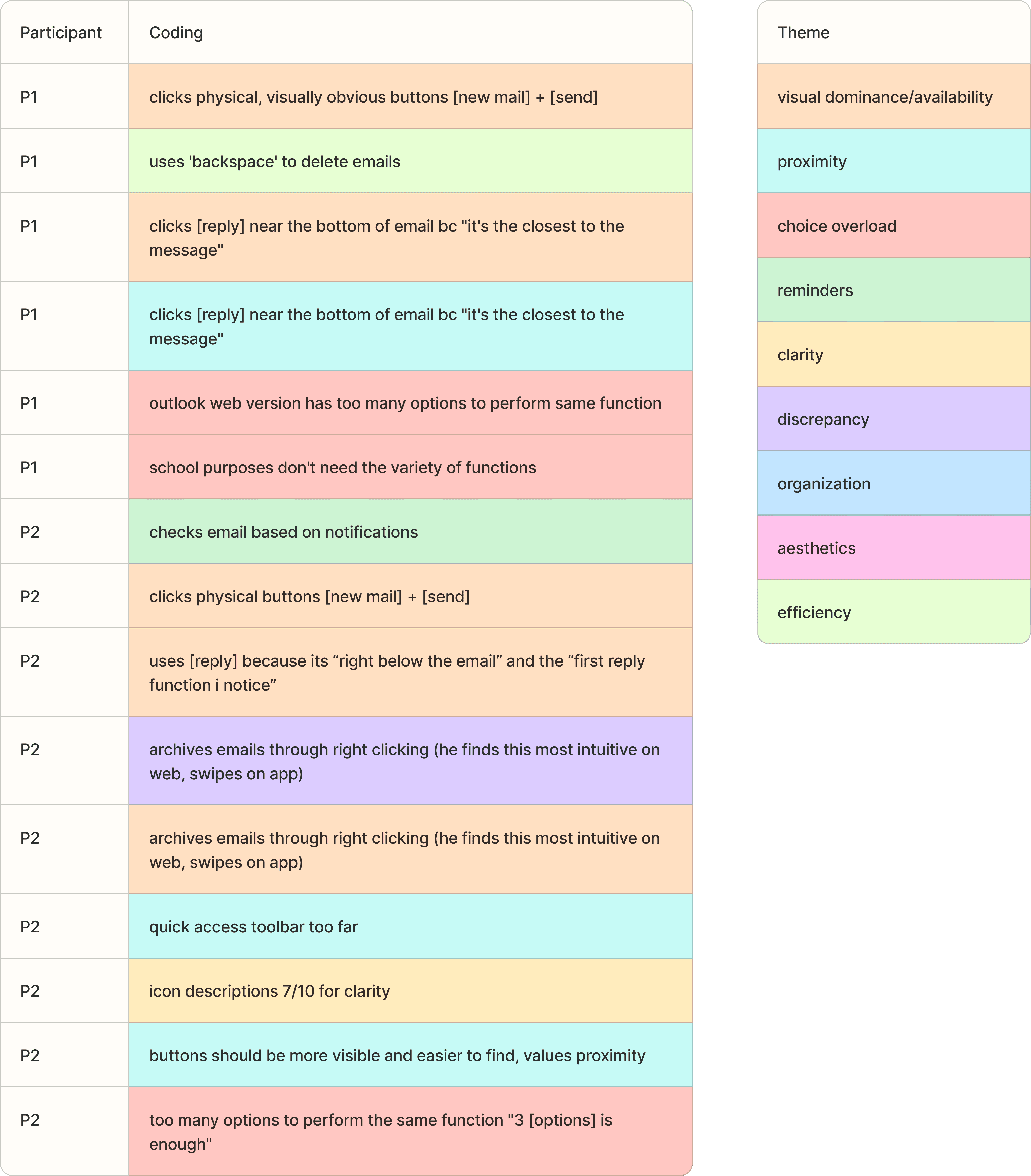
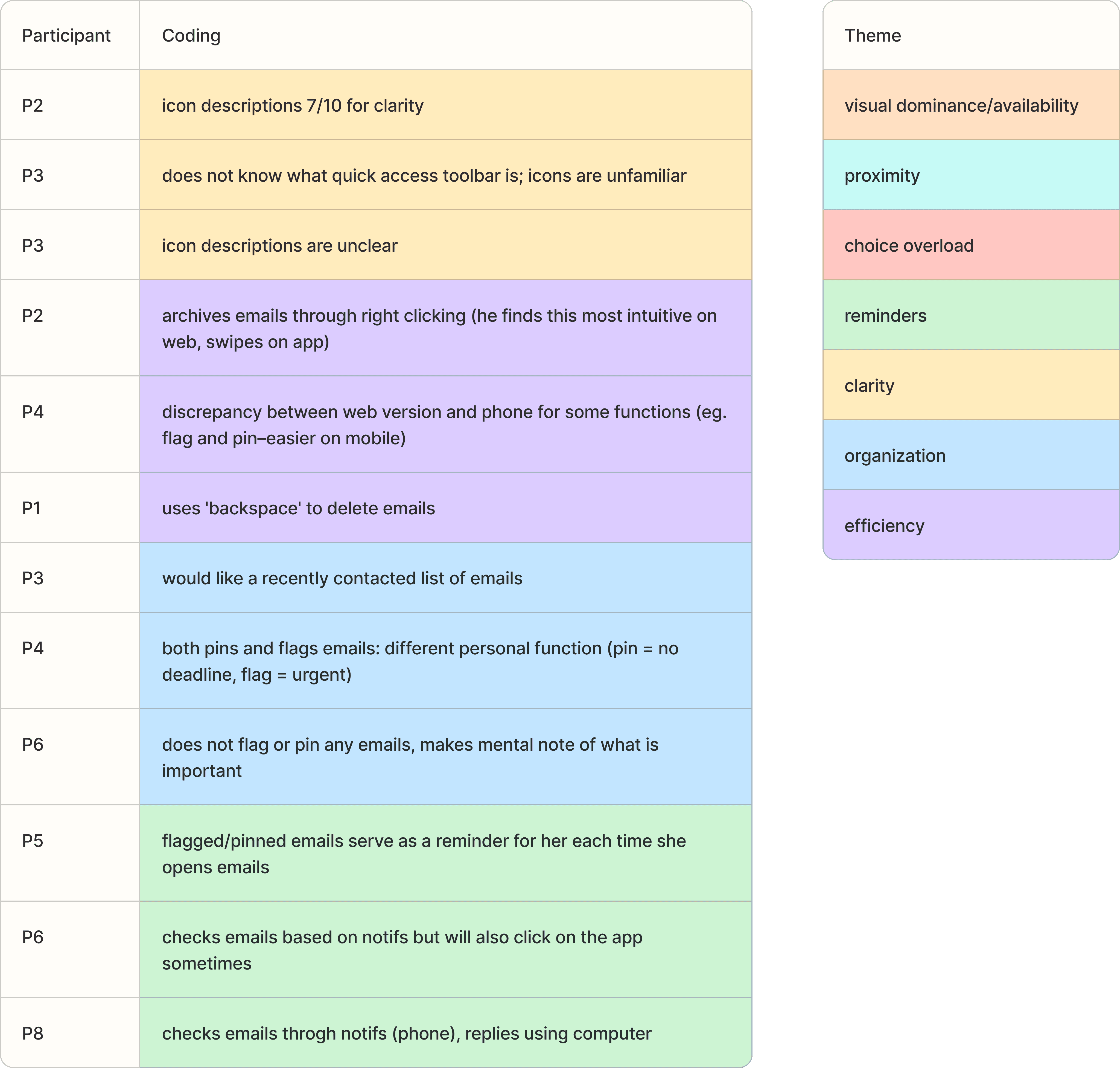
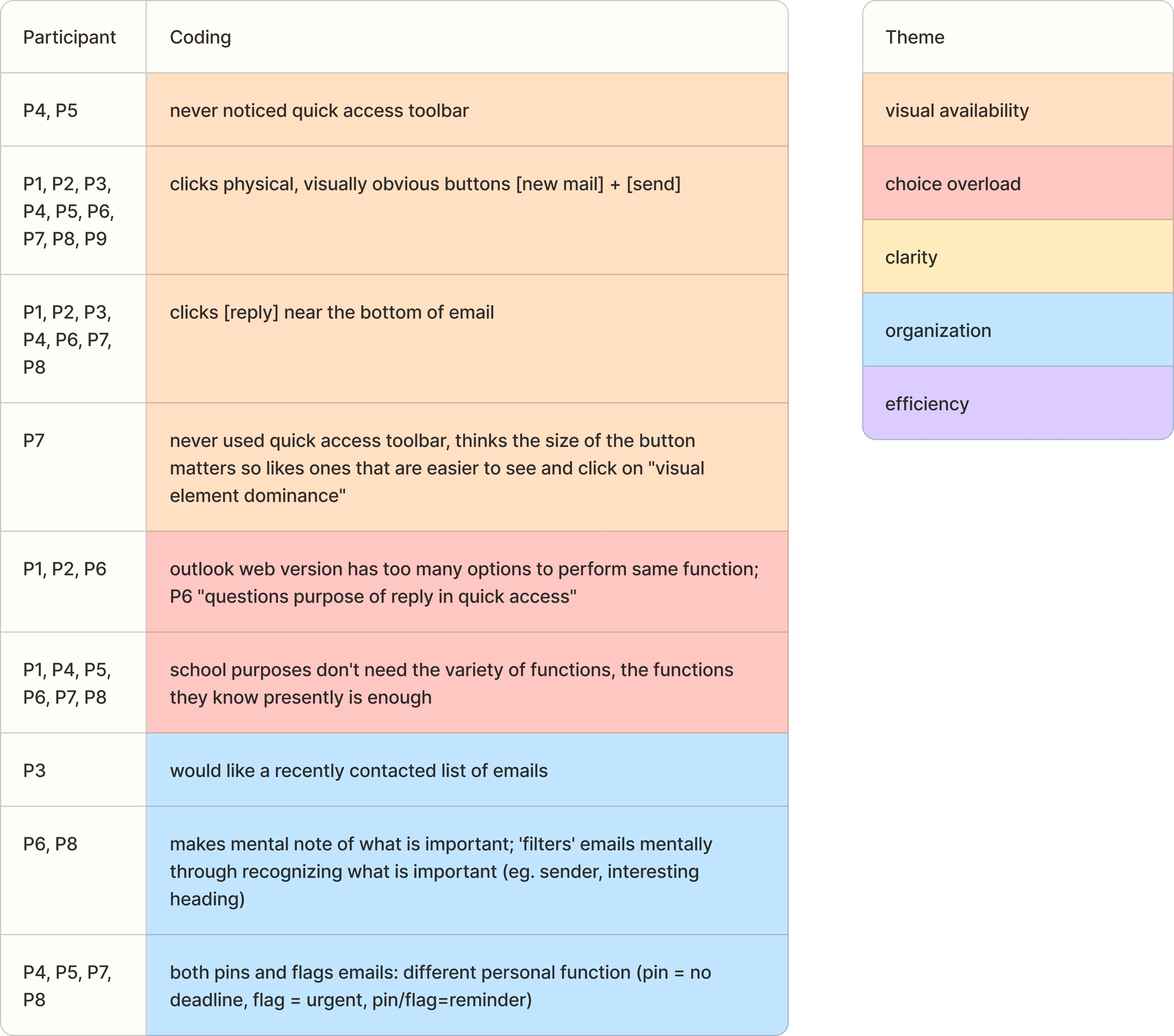
The interview data was consolidated through 3 rounds of thematic analysis. We found the following themes the most significant to consider when improving interface interactions for students.
visibility
Visual Availability
Users gravitate towards functions that are visible, attention-grabbing and close in proximity to their intended actions.
"I've never noticed that (Quick Access Toolbar)"
blur_on
Option Overload
The functions available in Outlook go beyond what a student needs on a day-to-day basis, creating redundancy and noise
“Too many options to perform the same function”
folder_open
Organization
Students have their own organizational system, however the given systems are arbitrary and prone to forgetfulness/mistakes
"It would be nice if it was easier to categorize emails, I currently just use the search"
Snapshots of the three thematic analysis rounds
Features to keep, and features to delete
Brainstorming and Ideation
Based off our interviews with students about their normal tendencies and use cases when using Outlook for school purposes, we narrowed down the features on the QAT to keep, and brainstormed ways we could make inbox organization easier and automated. Additionally, we spent a lot of time considering the best ways to configure the layout of features in the interface to best suit the actions that our users take.
compress
QAT
Condensing functionality to the essentials that a student uses – reducing option overload.
auto_awesome
Organization
Automatic email sorting system based on typical senders of the university.
dashboard
Layout
Ensuring specific functions are placed close to where the user would perform the action – close proximity increases ease of use.
palette
Theme
Create differentiation from non-school related inboxes, also increasing user enjoyment of the interface.
Evaluating the interface
Heuristic Evaluation and Usability Testing
Heuristic Evaluation
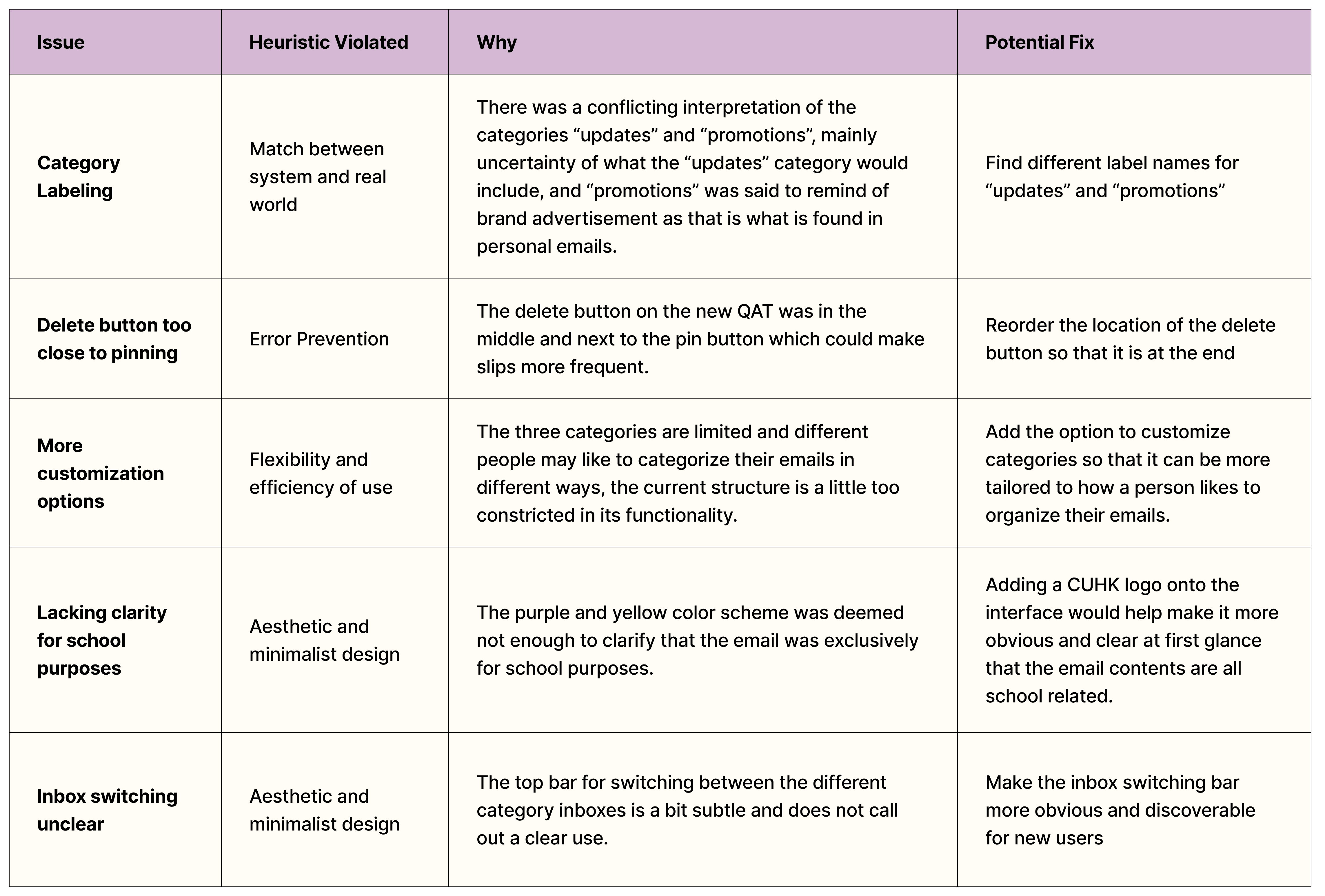
After creating our initial interactive prototype, we first conducted an expert evaluation by our 3 internal team members as well as 3 experts who had not seen the new interface design. Some important aspects included making sure category labelings make sense, error prevention, increased customization, and increased visual prominence for important/new features.
Highlights from heuristic evaluation
Usability Testing
We further evaluated our design through usability testing with 5 participants, who had a minimum of 3 years of using Outlook for school. We specifically paid attention to the usage of new features such as the QAT and auto-categorization.
100%
of users opted to use buttons on the new QAT
New QAT successfully achieved the goal of being visually prominent, increasing its usage and convenience.
80%
accuracy in
identifying automatic email categories
Users instantly semantically understood the categories and where specific university senders would be categorized.
Further Optimizations
tune
Category Customization — Users wanted more control and flexibility in determining their own categories.
palette
Purpose Emphasis — Increase clarity that this email inbox is for school purposes to enhance contextual understanding of category labels (ie. 'promotions').
visibility
Visible Inbox Switch — Improve visual prominence of the switch that navigates to different category inboxes.
category
Category Understanding — Reduce confusion between ‘promotions’ and ‘updates’ categories.
Final Design
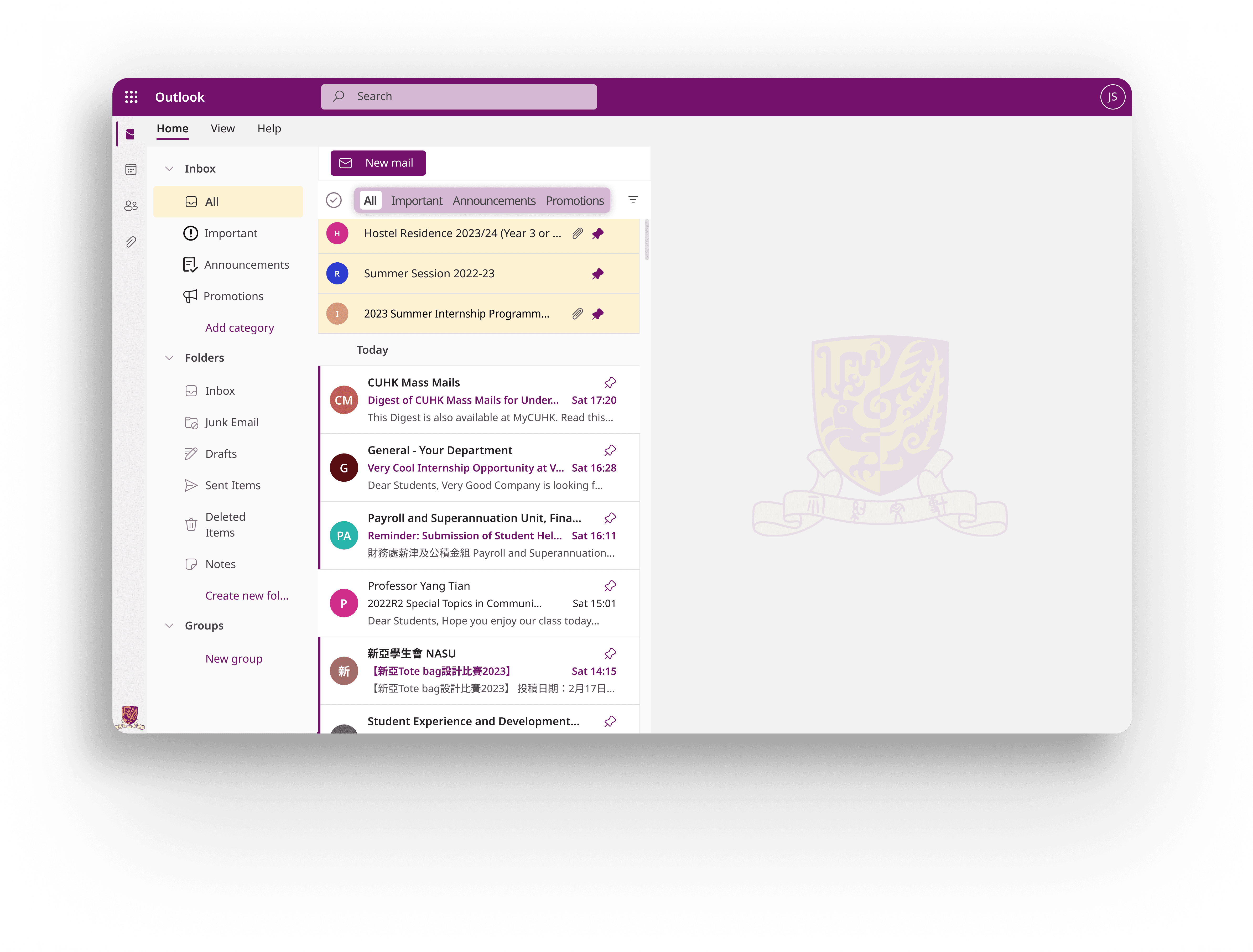
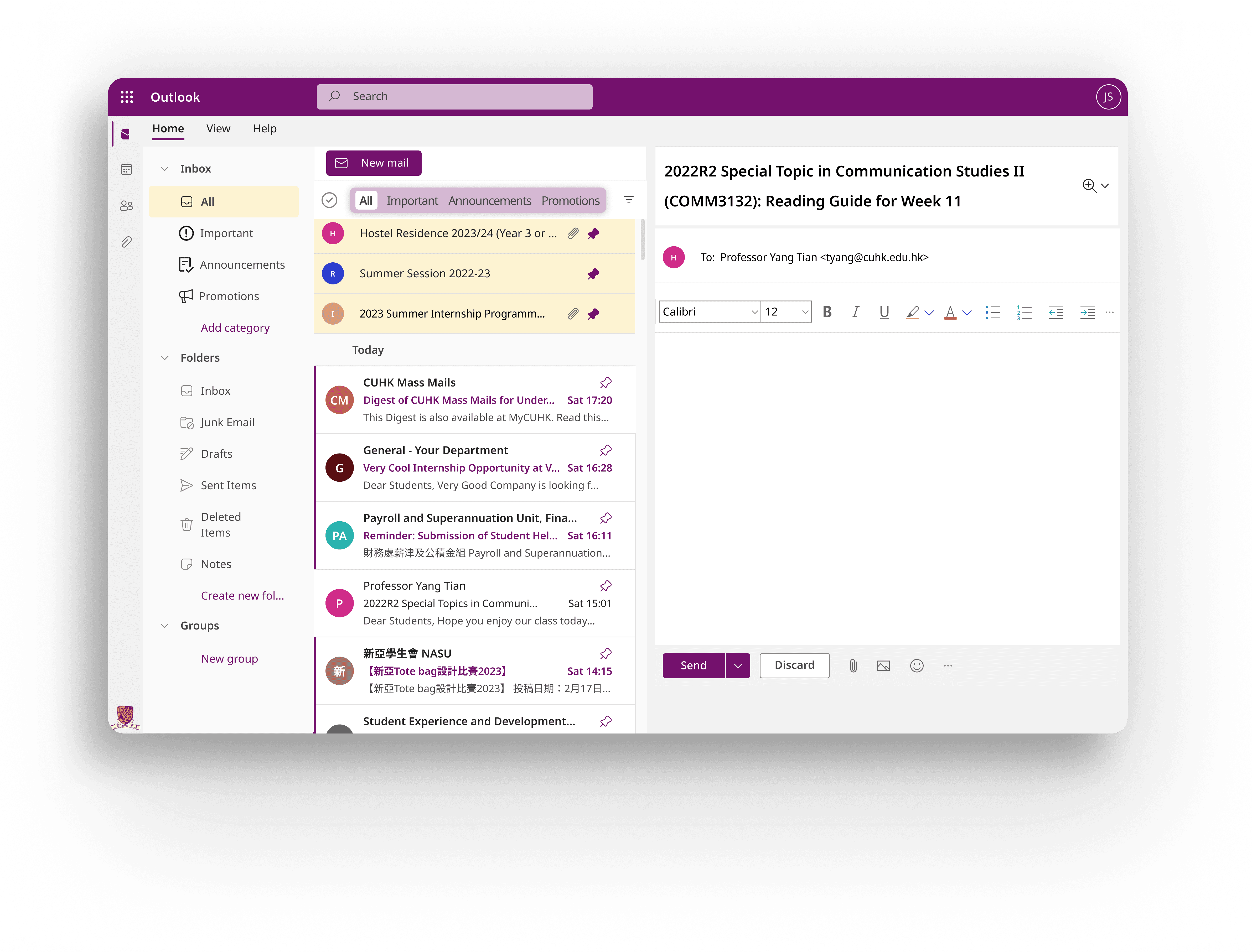

Initial — Category Inbox Switch

Final — Category Inbox Switch
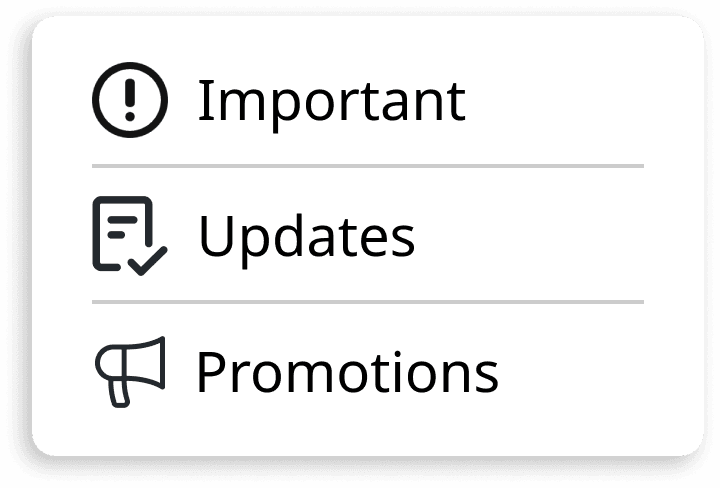
Initial — Category Sort
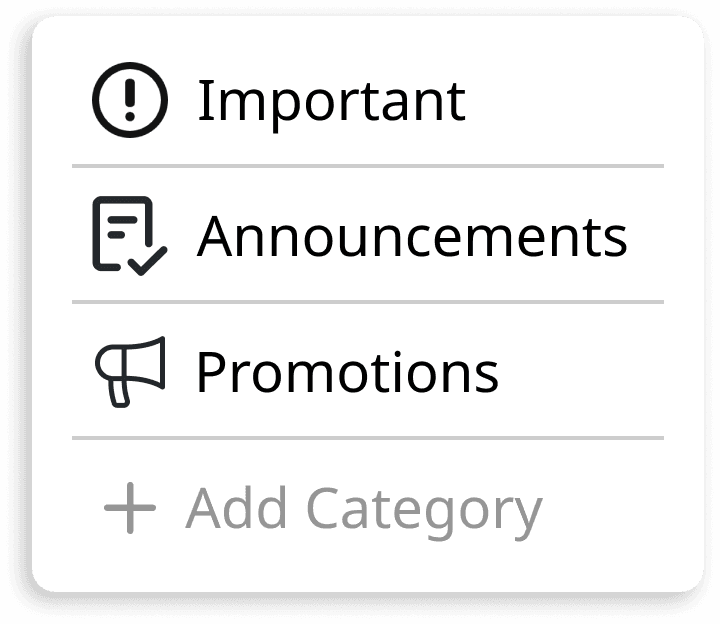
Final — Category Sort
Auto-Categorization
Have common email senders be automatically placed in the corresponding category for easy and hands-free organization — making important emails easier to find.
Quick Access Toolbar (QAT)
Simplified functions to essentials that students reach for, and enhanced visibility and proximity by having it located at the bottom of email content (near mouse activity when reading an email).

Official — Quick Access Toolbar

Initial — Quick Access Toolbar

Final — Quick Access Toolbar
Final — Positioning
The cruciality of testing
Learnings & Reflection
This was a really fulfilling project to complete, we really captured a variety of student perspectives on using Outlook, and our final design reflected this in being extremely catered towards student usage of the emailing platform which was the goal we set out to do. We gained so many insightful opinions from the heuristic and usability evaluations that improved our final high-fidelity design, both in its functionality as well as aesthetics.
One really interesting happenstance was our early identification of visual availability being incredibly important, yet when implementing our category inbox switching, what we thought during the initial design to be clear was actually not that visible to users. It can be so easy to overestimate the prominence of features, when as a designer you spend so much time on thinking about, improving, and implementing a visual feature. However, to a user who only spends half a second glancing over the interface, these features really need to stand apart from the noise of a busy interface, which in actuality is difficult to achieve because there are so many necessary elements.